概述:windows 创建 RPC调用过程实例详解
[toc]
相关参考文章
0x01、生成 UUID 和模版(IDL)文件
定义接口的第一步是使用 uuidgen 实用工具生成通用唯一标识符(UUID)。UUID使客户端和服务端能够相互识别。该工具包含在阿庄平台软件开发工具包中(SDK)。
一般安装路径位于:D:\Windows Kits\10\bin\10.0.22621.0\x64
以下命令生成 UUID 并创建名为 Hello.idl 的模版文件。
uuidgen /i /ohello.idl模版内容大致如下:
[
    uuid(7a98c250-6808-11cf-b73b-00aa00b677a7),
    version(1.0)
]
interface hello
{

}
在模版中添加接口:
//file hello.idl
[
    uuid(7a98c250-6808-11cf-b73b-00aa00b677a7),
    version(1.0)
]
interface hello
{
    void HelloProc([in, string] unsigned char * pszString);
    void Shutdown(void);
}
0x02、添加 acf 文件
acf文件内容如下所示,导出接口需要与 idl 文件一致:
//file: hello.acf
[
    implicit_handle (handle_t hello_IfHandle)
]
interface hello
{
}
0x03、编译 idl 文件
-
打开 visual studio,新建一个空项目
-
空项目中添加上述 idl文件 和 acf文件
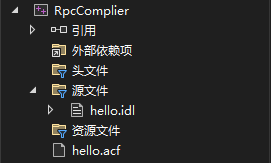
-
编译项目
-
生成 hello_h.h、hello_c.c、hello_s.c
- hello_h.h: 服务端和客户端共用文件
- hello_c.c: 客户端文件
- hello_s.c: 服务端文件
需要补充说明的是,在 hello_h.h 头文件中有两个导出接口,导出接口即为rpc调用的接口。
extern RPC_IF_HANDLE hello_v1_0_c_ifspec;
extern RPC_IF_HANDLE hello_v1_0_s_ifspec;
包含函数
函数MIDL_user_allocate和MIDL_user_free用于为RPC存根分配和释放内存。
MIDL_user_allocate和MIDL_user_free在实现RPC应用程序时,它们必须在应用程序的某个地方定义,这里直接在主文件定义即可。
//在客户端和服务端实现中都要包含这两个函数
void __RPC_FAR* __RPC_USER midl_user_allocate(size_t len)
{
     return(malloc(len));
}

void __RPC_USER midl_user_free(void __RPC_FAR *ptr)
{
     free(ptr);
}
0x04、客户端
新建工程文件如下所示:
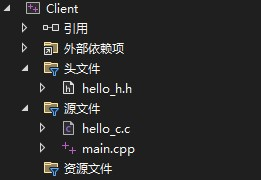
clientrpc.cpp
//client.cpp
#include <iostream>
#include <string>
using namespace std;


#include "hello_h.h"

#pragma comment(lib,"Rpcrt4.lib")


void doRpcCall();

int main(int argc, char** argv)
{
    int i = 0;
    RPC_STATUS status = 0;

    unsigned char* pszNetworkAddr = NULL;
    unsigned char* pszStringBinding = NULL;

    for (i = 1; i < argc; i++) {
        if (strcmp(argv[i], "-ip") == 0) {
            pszNetworkAddr = (unsigned char*)argv[++i];
            break;
        }
    }

    status = RpcStringBindingCompose(NULL,
        (unsigned char*)"ncacn_np",
        pszNetworkAddr,
        (unsigned char*)"\\pipe\\hello",
        NULL,
        &pszStringBinding);
    if (status != 0) {
        cout << "RpcStringBindingCompose returns: " << status << "!" << endl;
        return -1;
    }

    cout << "pszStringBinding = " << pszStringBinding << endl;
    status = RpcBindingFromStringBinding(pszStringBinding, &hello_IfHandle);
    if (status != 0) {
        cout << "RpcBindingFromStringBinding returns: " << status << "!" << endl;
        return -1;
    }

    doRpcCall();

    status = RpcStringFree(&pszStringBinding);
    if (status != 0)
        cout << "RpcStringFree returns: " << status << "!" << endl;

    status = RpcBindingFree(&hello_IfHandle);
    if (status != 0)
        cout << "RpcBindingFree returns: " << status << "!" << endl;

    cin.get();
    return 0;
}

void doRpcCall(void)
{
    char buff[1024];
    RpcTryExcept{
     while (true) {
      cout << "Please input a string param for Rpc call:" << endl;
      cin.getline(buff, 1023);
      if (strcmp(buff, "exit") == 0 || strcmp(buff, "quit") == 0) {
       Shutdown();
      }
      else {
       HelloProc((unsigned char*)buff);
       cout << "call helloproc succeed!" << endl;
      }
     }
    }

        RpcExcept(1) {
        unsigned long ulCode = RpcExceptionCode();
        cout << "RPC exception occured! code: " << ulCode << endl;
    }
    RpcEndExcept
}

void* __RPC_USER MIDL_user_allocate(size_t len)
{
    return (malloc(len));
}

void __RPC_USER MIDL_user_free(void* ptr)
{
    free(ptr);
}
0x05、服务端
新建工程文件如下所示:
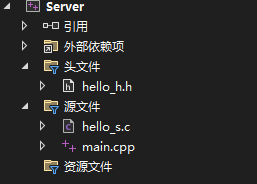
serverrpc.cpp
#include <iostream>
using namespace std;

#include "hello_h.h"

#pragma comment(lib,"Rpcrt4.lib")

int main(void)
{
	RPC_STATUS status = 0;

	unsigned int mincall = 1;
	unsigned int maxcall = 20;

	status = RpcServerUseProtseqEp(
		(unsigned char*)"ncacn_np",
		maxcall,
		(unsigned char*)"\\pipe\\hello",
		NULL);
	if (status != 0) {
		cout << "RpcServerUseProtseqEp returns: " << status << endl;
		return -1;
	}

	status = RpcServerRegisterIf(
		hello_v1_0_s_ifspec,
		NULL,
		NULL);
	if (status != 0) {
		cout << "RpcServerRegisterIf returns: " << status << endl;
		return -1;
	}

	cout << "Rpc Server Begin Listening..." << endl;
	status = RpcServerListen(mincall, maxcall, FALSE);
	if (status != 0) {
		cout << "RpcServerListen returns: " << status << endl;
		return -1;
	}

	cin.get();
	return 0;
}

/************************************************************************/
/*                        MIDL malloc & free                            */
/************************************************************************/

void* __RPC_USER MIDL_user_allocate(size_t len)
{
	return (malloc(len));
}

void __RPC_USER MIDL_user_free(void* ptr)
{
	free(ptr);
}

/************************************************************************/
/*                       Interfaces                                     */
/************************************************************************/

void HelloProc(unsigned char* szhello)
{
	cout << szhello << endl;
}

void Shutdown(void)
{
	RPC_STATUS status = 0;

	status = RpcMgmtStopServerListening(NULL);
	if (status != 0) {
		cout << "RpcMgmtStopServerListening returns: " << status << "!" << endl;
	}

	status = RpcServerUnregisterIf(NULL, NULL, FALSE);
	if (status != 0) {
		cout << "RpcServerUnregisterIf returns: " << status << "!" << endl;
	}
}
0x06、编译并运行
分别编译客户端和服务端程序,得到 server.exe 和 client.exe
- 先运行 server.exe
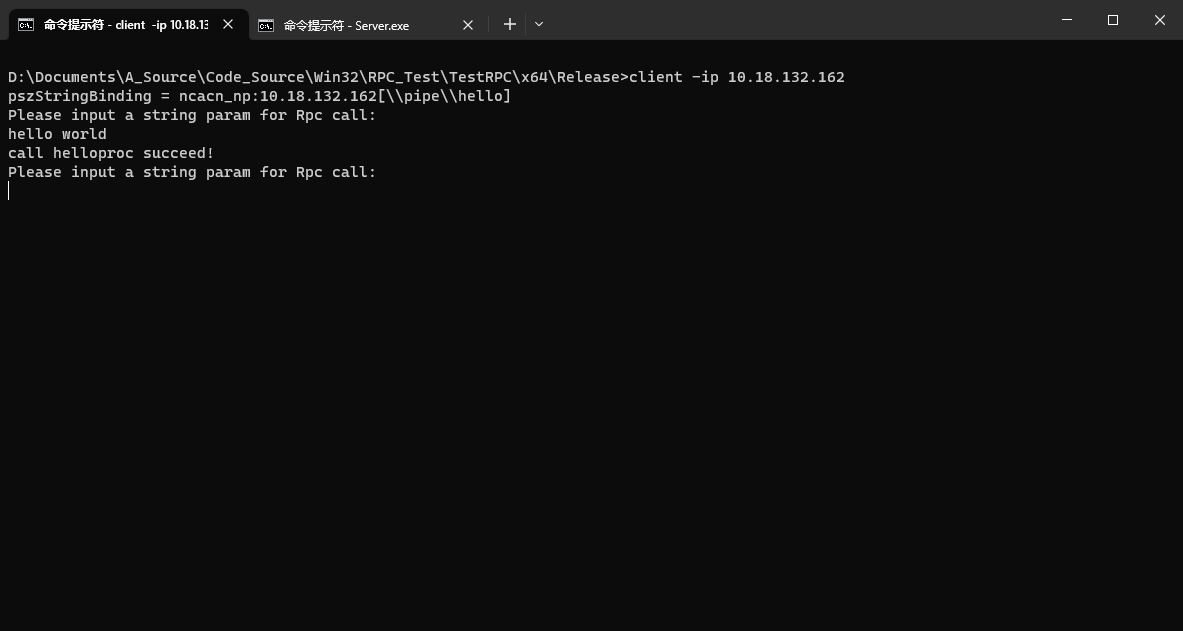
- 在 client.exe 目录运行
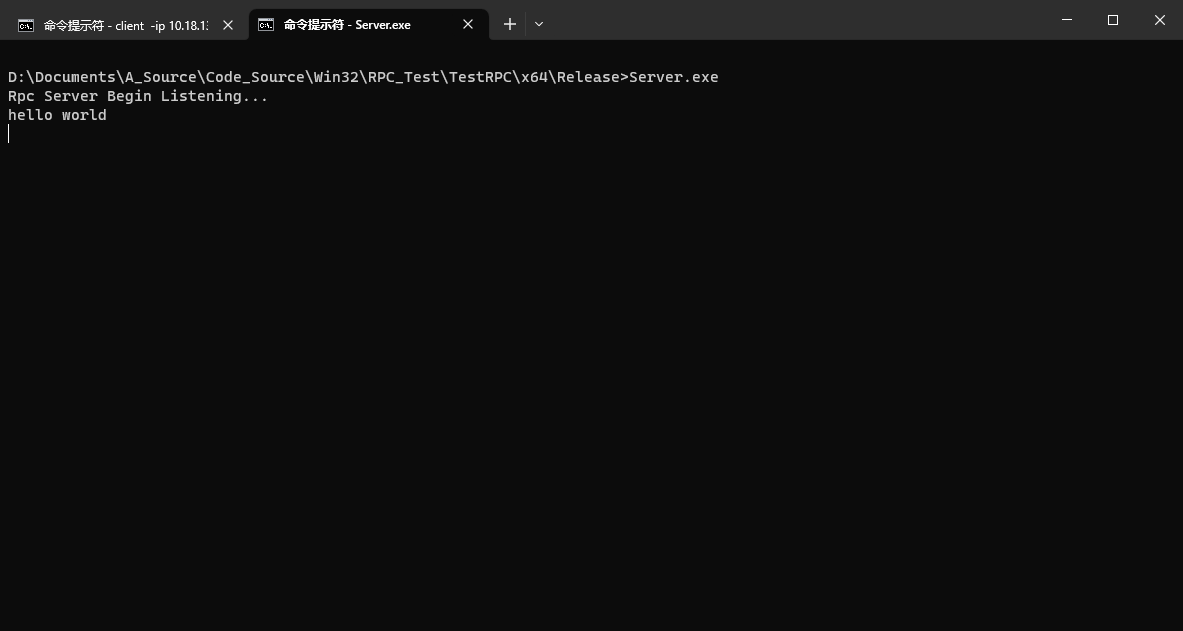
client -ip 192.168.106.128来启动客户端程序并与服务器端相连 - 在 client 的窗口输入任意字符串,回车后可看到server窗口上有显示
- 在 client 窗口内 输入 exit 或 quit, server 窗口关闭
0x07、运行示例
Client
Server