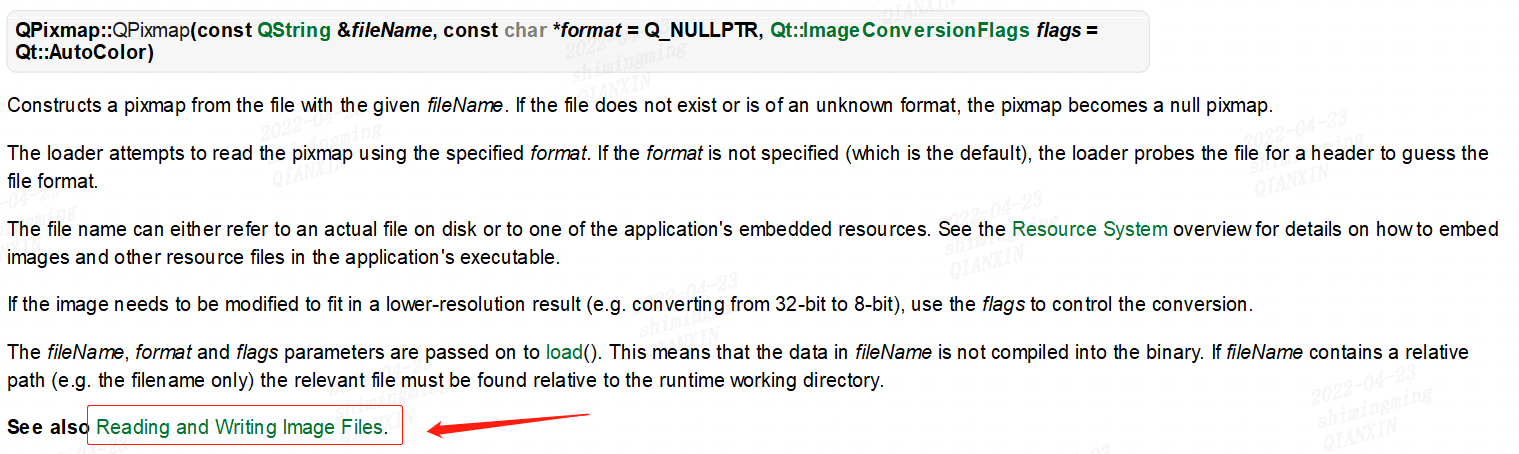
/*! Loads a pixmap from the file with the given \a fileName. Returns true if the pixmap was successfully loaded; otherwise invalIDAtes the pixmap and returns \c false. The loader attempts to read the pixmap [[【CPP】using|using]] the specified \a format. If the \a format is not specified (which is the default), the loader probes the file for a header to guess the file format. The file name can either refer to an actual file on disk or to one of the aPPLication's embedded resources. See the \l{resources.html}{Resource System} overview for details on how to embed pixmaps and other resource files in the application's executable. If the data needs to be modified to fit in a lower-resolution result (e.g. converting from 32-bit to 8-bit), use the \a flags to control the conversion. Note that QPixmaps are automatically added to the QPixmapCache when loaded from a file; the key used is internal and can not be acquired. \sa loadFromData(), {QPixmap#Reading and Writing Image Files}{Reading and Writing Image Files}*//* 翻译过来就是从给定的文件名的文件中加载一个像素图。如果pixmap成功加载,则为True;否则返回无效pixmap并返回\c false。加载器尝试使用指定的\a读取pixmap格式。如果没有指定\a格式(这是默认的),加载器探测文件的头,以猜测文件的格式。文件名可以指向磁盘上的实际文件,也可以指向磁盘上的实际文件应用程序的嵌入式资源。看到\l{resources.html}{Resource System}概述如何嵌入pixmap和其他资源文件在应用程序的可执行文件。如果数据需要修改以适应低分辨率结果(例如从32位转换到8位),使用\a标志来控制转换。注意,qpixmap会自动添加到QPixmapCache中当从文件加载时;使用的密钥是内部的,不能被收购。\sa loadFromData(), {QPixmap#读写图像读写图像文件}*/// loadFromdata的源码我也补充到了文末bool QPixmap::load(const QString &fileName, const char *format, Qt::ImageConversionFlags flags){ if (!fileName.isEmpty()) { QFileInfo info(fileName); // Note: If no extension is provided, we try to match the // file against known plugin extensions if (info.completeSuffix().isEmpty() || info.exists()) { QString key = QLatin1String("qt_pixmap") % info.absoluteFilePath() % HexString<uint>(info.lastModified().toSecsSinceEpoch()) % HexString<quint64>(info.size()) % HexString<uint>(data ? data->pixelType() : QPlatformPixmap::PixmapType); if (QPixmapCache::find(key, this)) return true; data = QPlatformPixmap::create(0, 0, data ? data->pixelType() : QPlatformPixmap::PixmapType); if (data->fromFile(fileName, format, flags)) { QPixmapCache::insert(key, *this); return true; } } } if (!isNull()) { if (isQBitmap()) *this = QBitmap(); else data.reset(); } return false;}
一看源码是不是就清晰多了。在 load()函数的实现中:①判断文件名是不是为空;②不为空时,首先就是读取文件的后缀。这里我们可以细细查一下第二个 if 判断中 QString 类型的 key 到底是进行了一个什么操作。
/*! \fn bool QPixmap::loadFromData(const uchar *data, uint len, const char *format, Qt::ImageConversionFlags flags) Loads a pixmap from the \a len first bytes of the given binary \a data. Returns \c true if the pixmap was loaded successfully; otherwise invalidates the pixmap and returns \c false. The loader attempts to read the pixmap using the specified \a format. If the \a format is not specified (which is the default), the loader probes the file for a header to guess the file format. If the data needs to be modified to fit in a lower-resolution result (e.g. converting from 32-bit to 8-bit), use the \a flags to control the conversion. \sa load(), {QPixmap#Reading and Writing Image Files}{Reading and Writing Image Files}*/bool QPixmap::loadFromData(const uchar *buf, uint len, const char *format, Qt::ImageConversionFlags flags){ if (len == 0 || buf == 0) { data.reset(); return false; } data = QPlatformPixmap::create(0, 0, QPlatformPixmap::PixmapType); if (data->fromData(buf, len, format, flags)) return true; data.reset(); return false;}